告警通知 发送- 二开扩展库开发指南
# 1. 这是什么
告警通知平台支持三种发送场景:调试发送、业务发送、告警发送。对于系统内置的渠道(腾讯云短信、阿里云短信、邮件、钉钉等),平台内部直接处理。
但如果你要对接第三方短信平台,就需要开发一个二开扩展库(也叫 proc DLL)。
# 2. 怎么配置渠道
在平台的渠道管理界面新建一条渠道:
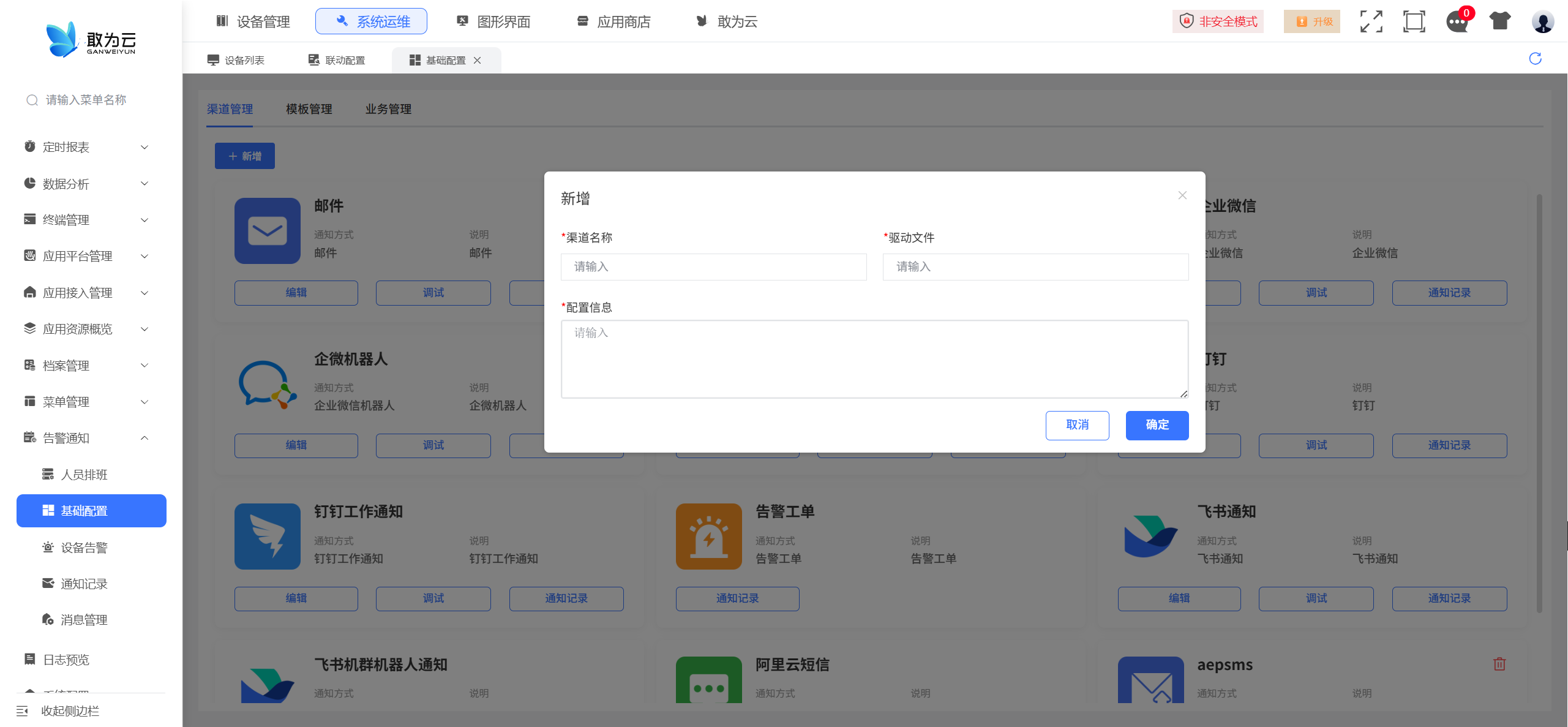
| 字段 | 说明 |
|---|---|
| 渠道名称 | 自定义,比如"某短信平台"、"企业微信" |
| 驱动文件 | 你开发的扩展库 DLL 文件名,比如 GWSMS.STD.dll |
| 配置信息 | 对接服务所需的参数,JSON 格式 |
配置信息示例(这是你自己定义的,按对接平台的要求来):
{
    "AppId": "your_app_id",
    "AppName": "your_app_name",
    "RequestStaffNo": "staff001",
    "BaseUrl": "https://api.example.com",
    "AppKey": "your_app_key",
    "SecretKey": "your_secret_key"
}
配置信息会以密文存在数据库
gw_notice_channel表的channel_info字段里。平台在调用你的 DLL 之前会自动解密,你的代码拿到的就是明文 JSON,直接解析用就行。
# 3. 整体架构
平台 (ASP.NET) ──→ OpenSendBus ──→ DoExProcSetParm("你的DLL.dll", "", "", json)
                                        │
                                        ▼
                                   你的 DLL
                                  CExProc.SetParm(value)
                                        │
                                  从 JSON 取 ChannelInfo(已解密)
                                        │
                                  调你的发送服务 → 第三方 API
你的 DLL 只需要做一件事:实现 IExProcCmdHandle 接口,在 SetParm 里收到 JSON,解析后调第三方 API。
# 4. 收到的 JSON 长什么样
平台会把所有需要的信息打包成 JSON 传给你,包含接收人、消息内容、渠道配置(已解密)。有两种格式,你的代码兼容一下就行:
# 格式 A:OpenSendBus 路径(告警/定时)
{
    "Receivers": [
        { "Name": "张三", "Mobile": "13800138000" },
        { "Name": "李四", "Mobile": "13900139000" }
    ],
    "Content": "设备#1001 报警通知 告警级别:3",
    "ChannelInfo": "{\"AppId\":\"xxx\",\"BaseUrl\":\"https://api.example.com\",...}"
}
# 格式 B:ASP.NET 直发路径(调试/业务)
{
    "Receiver": "13800138000",
    "Content": ["消息内容"],
    "ChannelInfo": "{\"AppId\":\"xxx\",\"BaseUrl\":\"https://api.example.com\",...}"
}
注意:
Content可能是字符串也可能是数组。ChannelInfo已经是解密后的明文 JSON。
# 5. 一步步搭建
# 5.1 创建项目
新建 .NET 类库,.csproj 只需要一个依赖:
<Project Sdk="Microsoft.NET.Sdk">
  <PropertyGroup>
    <TargetFramework>net10.0</TargetFramework>
    <ImplicitUsings>enable</ImplicitUsings>
    <Nullable>enable</Nullable>
  </PropertyGroup>

  <ItemGroup>
    <PackageReference Include="GWDataCenter" Version="10.2.1" />
  </ItemGroup>
</Project>
只需要
GWDataCenter这一个包(提供IExProcCmdHandle接口)。
# 5.2 写入口 CExProc
using GWDataCenter;
using GWDataCenter.Database;
using Newtonsoft.Json.Linq;

namespace YourModule.STD
{
    public class CExProc : IExProcCmdHandle
    {
        private readonly YourSmsService _service = new();

        public bool init(GWExProcTableRow Row)
        {
            // 初始化逻辑(如有需要)
            return true;
        }

        public void SetParm(string main_instruction, string minor_instruction, string value)
        {
            if (string.IsNullOrEmpty(value)) return;

            try
            {
                var jObj = JObject.Parse(value);

                // 1. 提取接收人手机号或邮件
                var receiver = ParseReceiver(jObj);
                if (string.IsNullOrEmpty(receiver)) return;

                // 2. 提取消息内容
                var content = GetContent(jObj["Content"]);

                // 3. 提取渠道配置(已解密)
                var channelInfo = jObj["ChannelInfo"]?.Value<string>() ?? "";

                // 4. 调你的发送服务
                var (success, msg) = _service.Send(receiver, content, channelInfo).Result;
            }
            catch (Exception ex)
            {
                // 打日志
            }
        }

        private static string ParseReceiver(JObject jObj)
        {
            // 格式 A:Receivers 数组
            var arr = jObj["Receivers"];
            if (arr != null && arr.Type == JTokenType.Array)
                return string.Join(",", arr.Select(r => r["Mobile"]?.Value<string>() ?? ""));

            // 格式 B:Receiver 字符串
            return jObj["Receiver"]?.Value<string>() ?? "";
        }

        private static string GetContent(JToken? token)
        {
            if (token == null) return "";
            if (token.Type == JTokenType.Array)
                return string.Join("", token.Select(c => c.Value<string>()));
            return token.Value<string>() ?? "";
        }
    }
}
核心逻辑就这几行:解析 JSON → 取手机号 → 取内容 → 取配置 → 调发送。
# 5.3 写发送服务
public class YourSmsService
{
    private static readonly HttpClient _httpClient = new();

    public async Task<(bool success, string msg)> Send(string receiver, string content, string channelInfoJson)
    {
        // 解析配置
        var cfg = JsonConvert.DeserializeObject<YourConfig>(channelInfoJson);

        // 调第三方 API(按对方文档来)
        var requestBody = new { phoneNumbers = receiver, message = content, ... };
        var json = JsonConvert.SerializeObject(requestBody);

        var response = await _httpClient.PostAsync(cfg.BaseUrl + "/sms/send",
            new StringContent(json, Encoding.UTF8, "application/json"));

        // 判断结果
        var result = JsonConvert.DeserializeObject<YourResp>(await response.Content.ReadAsStringAsync());
        return (result.Code == "0", result.Message ?? "");
    }

    private class YourConfig
    {
        public string AppId { get; set; }
        public string BaseUrl { get; set; }
        public string AppKey { get; set; }
        public string SecretKey { get; set; }
        // ... 按需加字段
    }
}
# 6. 三种场景的数据流
无论哪种场景,你的 DLL 收到的 JSON 格式都一样(都包含 ChannelInfo、接收人、内容),不需要区分。
| 场景 | 触发来源 | 经过路径 |
|---|---|---|
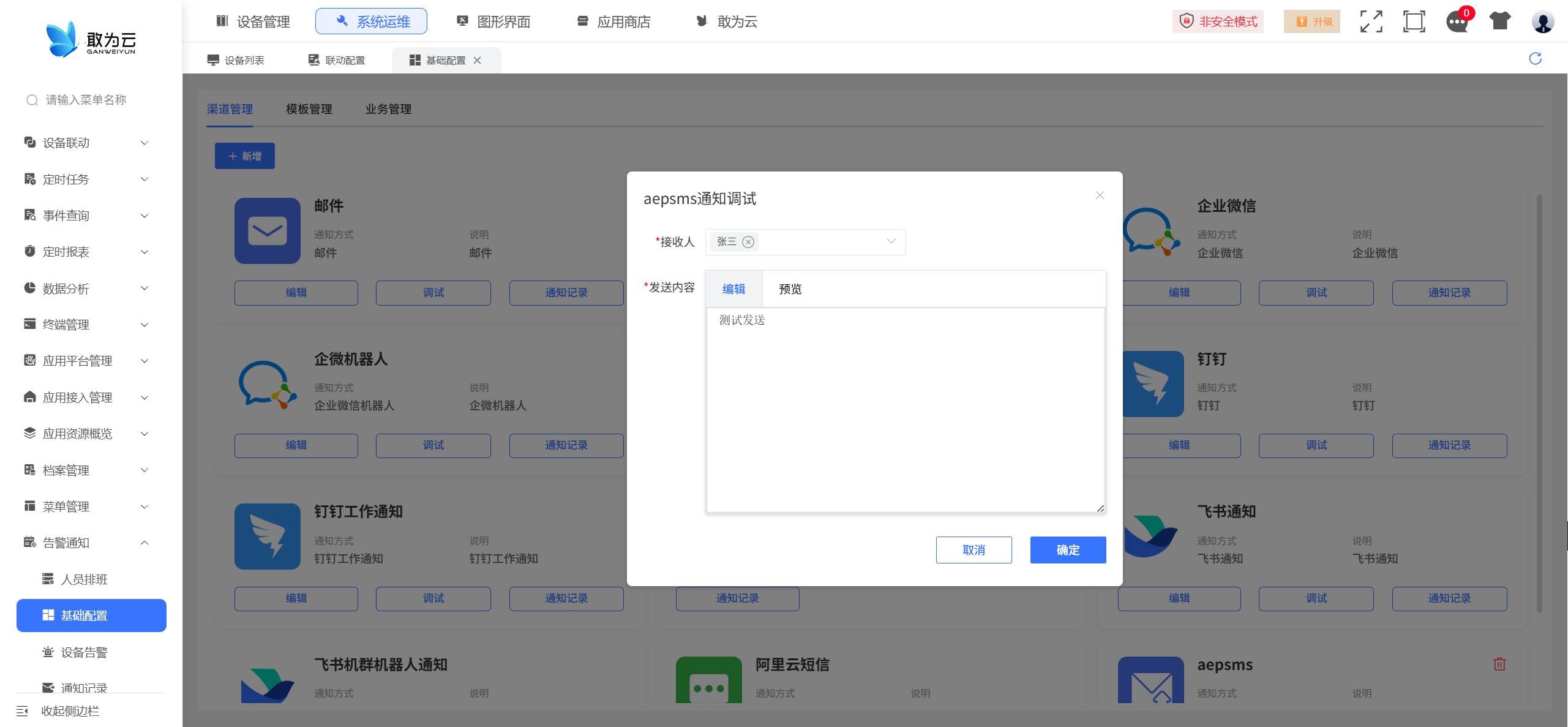
| 调试发送 | 界面点"测试发送" | ASP.NET → 查渠道 → 自定义? → 直接调你的 DLL |
| 业务发送 | API 调用 | ASP.NET → 查渠道 → 自定义? → 直接调你的 DLL |
| 告警发送 | 设备告警 | GWNotifyAlarmProc → GWNotifyServiceProc → OpenSendBus → 你的 DLL |
| 定时发送 | 定时任务 | GWNotifyServiceProc → OpenSendBus → 你的 DLL |
# 7. 对接 checklist
对接一个新的短信平台,按这个清单来:
新建项目,照 6.1 的 csproj 模板
定义配置类,按第三方平台需要的参数(AppId、AppKey、BaseUrl 等)
写 CExProc,照 6.2 的模板,改命名空间和类名
写发送服务,照 6.3 的模板,改成第三方平台的 API 签名和调用方式
编译:
dotnet build,输出 DLL部署:把 DLL 放到平台
dll/目录配渠道:在界面新建渠道,
drive_dll_name填你的 DLL 名,channel_info填对接参数测试:点"测试发送"验证